Apple Watch Automatically Identifies Songs Playing Around You
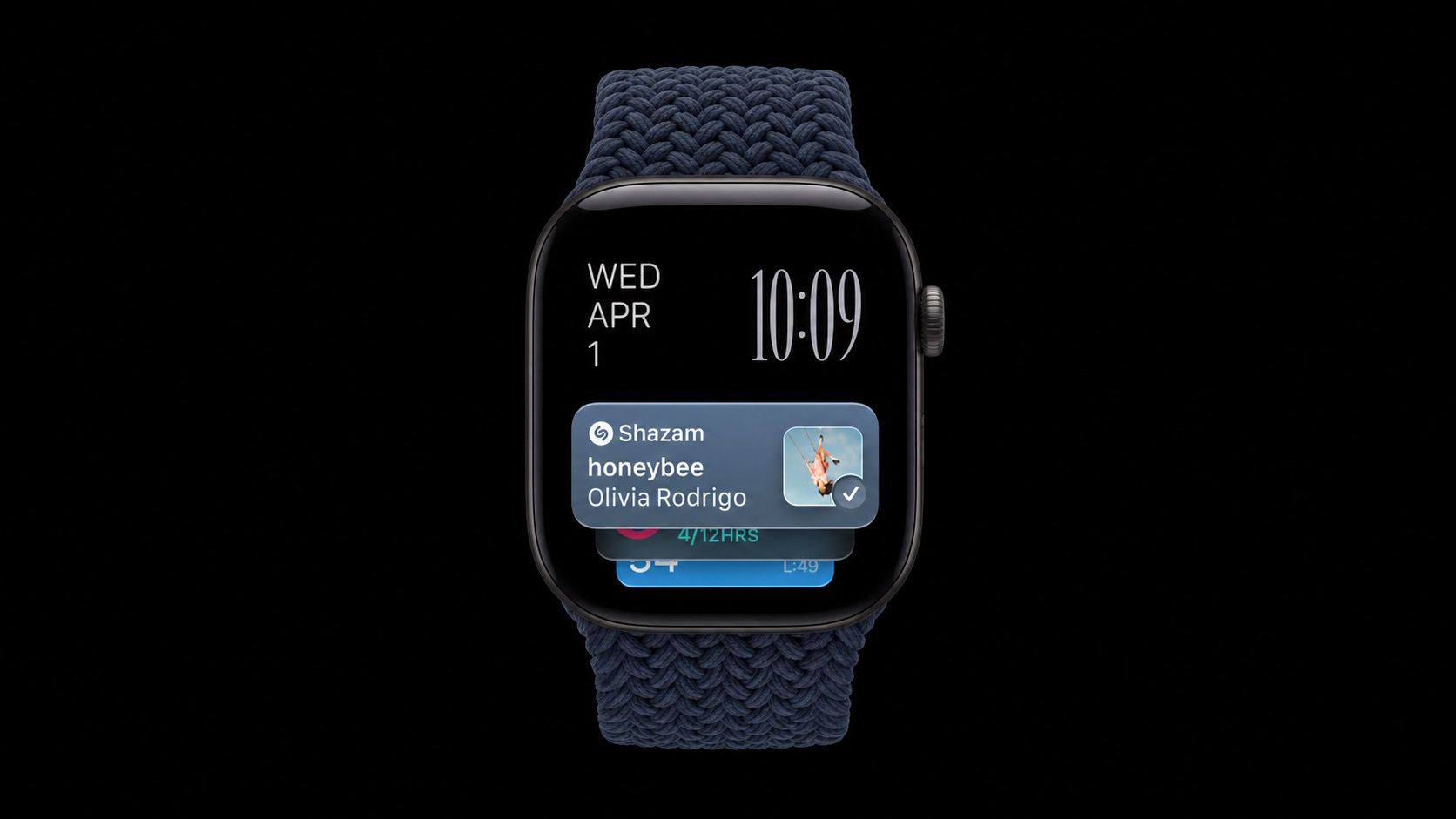
Ever been in a situation where you hear a song in a cafe, a shop, or a car, and wonder what it is? On the latest Apple Watch models, your watch can work it out for you, and you don't even need to ask. The music doesn't have to be playing on the watch. It just needs to be audible around you. Apple Watch does the rest. It's all thanks to a new automatic feature in iOS 27 called Music Recognition, which is just one of Apple's new Audio Intelligence features. It uses Shazam to identify songs around you and surfaces the answer in the Smart Stack, including the title and artist, without you tapping anything. It requires an Apple Watch Series 12 or Apple Watch Ultra 4 paired with an iPhone 11 or later (or iPhone SE 2nd generation or later) running iOS 27. Using Music Recognition on Apple Watch When you hear music nearby, just swipe up from the watch face (or turn the Digital Crown upward) to open the Smart Stack. Then check the Music Recognition widget. It should show the song title and artist as soon as it has identified the music, which shouldn't take long. The best bit is that you can save the song to your Shazam history or Apple Music library with a tap. How to Turn On Automatic Music Recognition Usually, you can just tap Enable Music Detection when the Music Recognition widget appears for the first time in your Smart Stack – the feature works from then on. But if for any reason you're not seeing it happen automatically after this initial step, here's how to enable it manually: Open the Settings app on your Apple Watch. Tap Smart Stack. Turn on Music Detection. Older Apple Watch models can still identify songs manually with the Music Recognition app, but the automatic Smart Stack version is limited to Series 12 and Ultra 4. Privacy Apple says no audio is recorded or stored in the process of identifying songs. Instead, audio is processed in a protected buffer inside the device's Secure Exclave, and only an acoustic signature of the song – which can't be reversed into the original audio – is sent to Shazam's servers for identification.Related Roundups: Apple Watch 12, Apple Watch Ultra 4Buyer's Guide: Apple Watch (Buy Now), Apple Watch Ultra (Buy Now)Related Forum: Apple WatchThis article, "Apple Watch Automatically Identifies Songs Playing Around You" first appeared on MacRumors.comDiscuss this article in our forums
This is a summary aggregated from MacRumors. Read the complete article on the original site:
Read full article at MacRumors